release-notes
Puma Scan Pro 0.8.0 release notes with .NET Compiler API v2.9 upgrade and official .NET Core code analysis support.
Puma Scan’s 0.8.0 release is a minor update that upgrades to the latest version of the .NET Compiler API libraries (2.9) and officially supports .NET Core code analysis.
Version 0.8.0 is the first official release that no longer supports Visual Studio 2015.
Running the .NET Compiler API v2.9 requires Visual Studio version 15.8 and higher. More details can be found on the Roslyn Wiki Page.
Puma Scan Pro users running Visual Studio versions prior to 15.8 will need to either upgrade Visual Studio or install Puma Scan Professional End User Version 0.7.5.
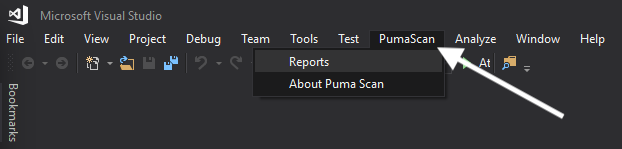
A new PumaScan menu item was added to Visual Studio for accessing the Report and About features.
The command line scanner supports scanning .NET Standard and .NET Core project files
The command line scanner now uses the Visual Studio 2017 Build Tools
New tainted sources added for the following .NET Core libraries:
Microsoft.AspNetCore.Mvc.Controller.*
Microsoft.AspNetCore.Http.Request.Body
Microsoft.AspNetCore.Http.Request.Cookies
Microsoft.AspNetCore.Http.Request.Form
Microsoft.AspNetCore.Http.Request.Headers
Microsoft.AspNetCore.Http.Request.Query
Microsoft.AspNetCore.Http.Request.QueryString
Microsoft.AspNetCore.Mvc.ControllerBase
Microsoft.AspNetCore.Mvc.IActionResult
Microsoft.AspNetCore.Mvc.FileStreamResult
Microsoft.AspNetCore.Mvc.PhysicalFileResult
Microsoft.AspNetCore.Mvc.VirtualFileResult
New cleanse methods added for the following .NET Core libraries:
System.Text.Encodings.Web.HtmlEncoder.Encode
System.Text.Encodings.Web.JavaScriptEncoder.Encode
System.Text.Encodings.Web.UrlEncoder.Encode
Microsoft.AspNetCore.Mvc.UrlHelper.IsLocalUrl
Bug Fix: Data flow engine bug losing context when iterating through a foreach loop.
